
Learn How to Unlock Android Pattern Without Losing Any Data: Here are trick to unlock android pattern, pin or password without loosing any data, The trick is easy to apply, the conventional part of this trick was it doesn’t require formatting to unlock your android pattern.
n these days android is popular used operating system and everybody adopting android phones. Android operating system is administered by Google. Freshly, we discovered another trick to unlock android pattern, pin or password but a modification of that method or trick is to format all user data (losing all data). So, In this assignment, we are going to share the trick to unlock android pattern without losing any data.
How to Unlock Android Pattern Without Losing Data
Steps to Unlock Android Pattern Without Losing Data:
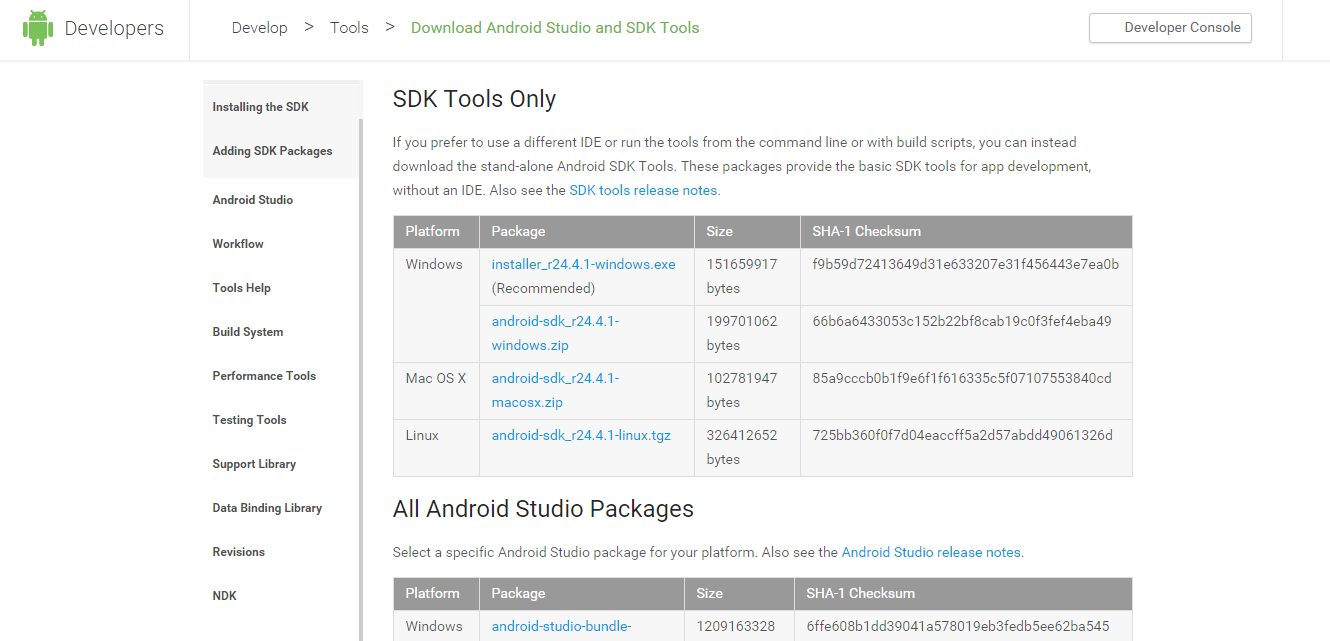
- Download and install Android SDK Tools for run ADB commands. Now select platform according to you download and install it.
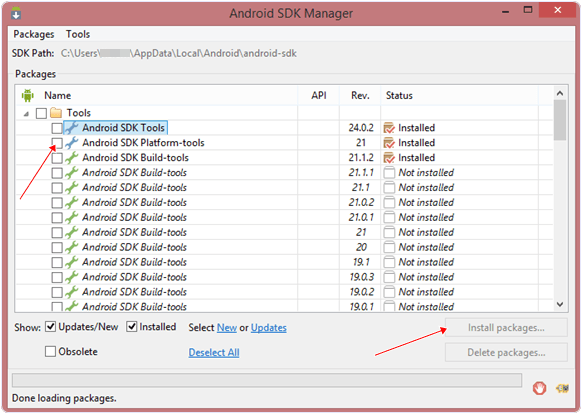
After installing open it, uncheck the other packages and check Android SDK Platform-tools and then click on install packages according to the image given below.
So the other requirement is USB Debugging should be enabled before your android device locked.
Note: The process will not be helpful if you don’t have specific and compatible drivers for your phone. So you should be very careful While installing your device compatible drivers.
Steps To Unlock Android Pattern Lock Without Formatting/Losing Data:
- Connect your locked android phone to your system via USB.

- Open folder where you installed Android SDK Tools Users > App Data > Local > Android > Android-SDK > Platform-Tools and then click on blank space hold shift and click right mouse button and select open command window here.
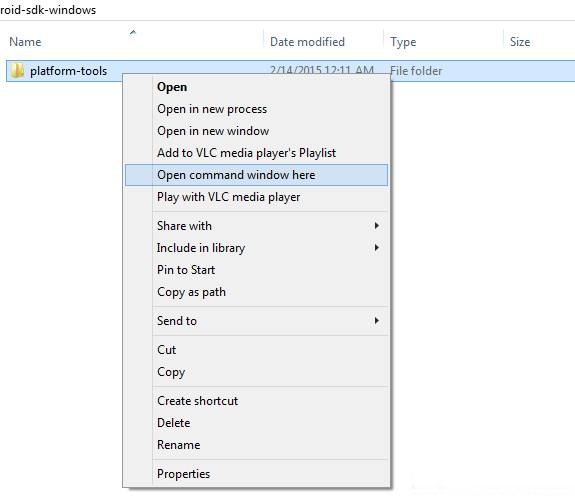
- It will open your command window now you have to put some commands in the command window:-
To check whether your device is properly connected or not put command:-
adb devices
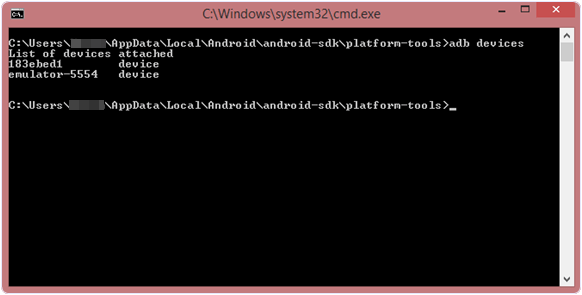
Now put these commands:-
adb shell
cd /data/data/com.android.providers.settings/databases
sqlite3 settings.db
update system set value=0 where name=’lock_pattern_autolock’;
update system set value=0 where name=’lockscreen.lockedoutpermanently’;
.quit
If above commands don’t work put:-
adb shell rm /data/system/gesture.key
4. Once you were done you have to reboot your android phone. Now it’s all done.
Note: USB Debugging should be enabled before locked and it is the must. But If it is not enabled then you cannot proceed further steps.
After rebooting your device, you will see the pattern lock impaired. In this way, you will favorably unlock your Android Pattern, pin or password without formatting or lose any data. If you face any problem feel free to discuss in below comments.


No comments:
Post a Comment